AI Tools for Graphic Design (2026) — Full Comparison
01
How designers worked before AI
2018 to 2022 — the manual era and how it ended
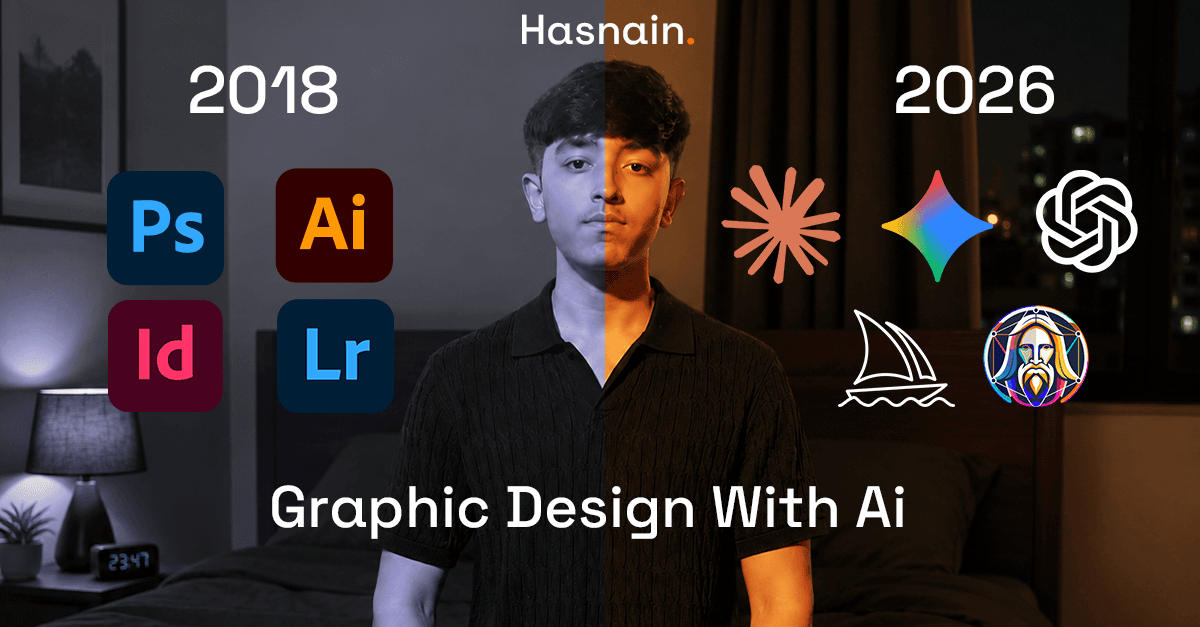
2018 — The manual era
Adobe Photoshop & Illustrator ruled everything
Every graphic designer lived inside Photoshop and Illustrator. Removing a background meant the magic wand, refine edge, and 45 minutes of patience. Tracing a logo into a vector meant the pen tool and a steady hand. Color grading required stacked curves layers, blending modes, and years of experience. A single client poster from scratch could take a full day. Everything was craft — slow, precise, and deeply skilled.
2020 — First automation wave
Adobe Sensei, Remove.bg, and Smart Select arrive
Adobe's AI engine began automating the boring parts. Select Subject isolated a person in one click. Background removal that once took 40 minutes now took 3 seconds. The work was still human-directed but the grunt labor started disappearing. Designers gained time — but the tools were still extensions of existing software, not replacements for it.
2022 — The inflection point
Midjourney, DALL-E 2, Stable Diffusion shake the industry
For the first time, a non-designer could type a sentence and get a usable image. Professional illustrators were alarmed. Agencies scrambled to understand what this meant. The tools were rough but the direction was unmistakable — image generation was going to change graphic design permanently.
2024–2025 — AI becomes the default
Every major tool embeds AI natively
Photoshop added Generative Fill. Illustrator added text-to-vector. Figma added First Draft for wireframes. Canva launched Magic Studio. The question was no longer "should I use AI?" but "which combination of tools fits my workflow?"
2026 — Automation pipelines & multi-model platforms
AI design is now workflow automation, not just generation
In 2026, platforms like Kittl let you chain AI tools into repeatable one-click pipelines called Creative Flows. Freepik merged a 200M+ stock library with 39+ AI models. Recraft generates native SVG vectors directly — no tracing needed. Designers who embraced this are producing 4–6× more work than in 2022. The role has shifted from craft execution to art direction and creative system management.
02
Every major AI design tool in 2026
What each one actually does and who it is for
🤖
ChatGPT (GPT-4o)
Text + Image Generation
Generates highly realistic images from text descriptions. Strong for product mockups, lifestyle photography, and ad visuals. Also writes headlines, social copy, and creative briefs in the same conversation. Struggles with logos and precise text inside images.
Image genCopywritingBrainstorm
✦
Claude (Anthropic)
Creative Strategy & Prompt Writing
Does not generate images. Thinks like a creative director. Best AI for writing detailed Midjourney/Leonardo prompts, building brand strategies, creative briefs, ad copy, and concept writing. Feed it a project brief and it will give you 10 visual directions to explore.
Prompt writingStrategyBranding copy
💠
Gemini (Google)
Image Analysis & Research
Strong at analysing existing designs — upload a poster and ask "what is wrong with the hierarchy?" Integrates with Google Workspace, making it useful for teams in Docs and Slides. Best used as a design critique partner and research assistant.
Image analysisResearchFeedback
🎨
Midjourney v7
Artistic Image Generation
Still the gold standard for artistic, editorial, and high-quality brand imagery. Unmatched aesthetic quality for fashion, campaign visuals, and concept art. The new v7 model delivers sharper detail and better prompt fidelity. Weak on text rendering (~30–40% accuracy).
Art directionEditorialCampaign visuals
🖼
Leonardo AI
Product & Character Art
Fine-tuned models for consistent character design, product visualisation, and game assets. Canvas tool allows in-painting and outpainting. Popular with UI designers and e-commerce teams for generating consistent asset sets across a campaign.
Product vizCharactersGame art
🪄
Adobe Firefly 3
Commercial-Safe AI in Photoshop
Built directly into Photoshop and Illustrator. Generative Fill, Generative Expand, Text Effects, and vector generation. Every output is commercially licensed — critical for client work. Strongest for production editing rather than initial ideation. Trained exclusively on licensed content.
PhotoshopCommercial safeVectors
🎭
Canva Magic Studio
Non-designer Platform
Magic Design, Magic Layers, Magic Write, Background Remover, Text to Image. 170M+ monthly active users in 2026. Now includes Magic Layers for advanced compositing. The most accessible AI design platform ever built. Fast for social media and marketing at scale.
Social mediaTemplatesMarketing
🔤
Ideogram 2.02026
Text-in-Image Specialist
Solves one of AI design's biggest failures: readable text inside images. Achieves 90–95% text rendering accuracy versus 30–40% for Midjourney and 50–60% for DALL-E 3. Essential for posters, banners, product labels, and any design where legible typography is required.
TypographyPostersBanners
📐
Recraft V32026
Native SVG Vector Generator
The only AI tool that generates native SVG vector files directly from its model — no manual tracing, no post-processing. Essential for brand designers working on scalable assets, icons, and logos. Also produces raster images and has strong brand consistency tools.
SVG vectorsIconsBrand assets
✏️
Kittl2026
Multi-model Design Platform
Evolved from a print template tool into a full AI-first design platform. Integrates models from OpenAI, Black Forest Labs (Flux 1.1), ByteDance (Seedream 4), Ideogram 2.0, and Google inside a single vector editor. Creative Flows automate multi-step tasks into one-click pipelines. Used by Pentagram, Netflix, Ogilvy, and Uber.
Multi-modelAutomationPrint & brand
📸
Freepik AI Suite2026
Stock + AI Combined Platform
Merged 200M+ stock photos, vectors, and illustrations with 39+ AI generation models including Flux, Google Imagen, and Kling for video. If you regularly buy stock images and use an AI tool, Freepik collapses both into one subscription. Trusted by over 700,000 creative professionals.
Stock + AIVideo genMulti-model
⚡
Figma AI (Make)
UI/UX Design
Figma Make (formerly First Draft) generates entire wireframe screens and functional UI layouts from a text prompt. Auto-layout suggestions, component generation, and copy rewriting are built in. The most relevant AI tool for product and interface designers. 1 in 3 Figma users planned to launch AI-powered products in 2025.
UI/UXWireframesCode gen
03
Pricing comparison — what every tool costs in 2026
Free tiers, paid plans, and what you actually get
Tool | Free tier | Paid from | What the paid plan gives you | Best for |
|---|---|---|---|---|
ChatGPT Plus | Limited | $20/mo | GPT-4o image gen, DALL-E 3, unlimited messages, priority access | General use |
Claude Pro | Limited | $20/mo | 5× more usage, Projects, extended context, priority access | Copy & strategy |
Gemini Advanced | Yes | $20/mo | Gemini 1.5 Pro, Google Workspace, 1TB Drive storage | Google users |
Midjourney Basic | No free tier | $10/mo | ~200 generations/mo. Standard $30/mo for relaxed unlimited | Art direction |
Leonardo AI | 150 tokens/day | $12/mo | 8,500 tokens/mo, private generations, priority queue | Product & game art |
Adobe CC + Firefly | 25 credits | $54.99/mo | All Adobe apps + Firefly, 100 gen. credits/mo included | Professionals |
Canva Pro | Limited AI | $15/mo | Unlimited Magic Write, 500 AI images/mo, Brand Kit, 100GB | Social & marketing |
Ideogram | Yes | $8/mo | Priority gen, private images, commercial rights, 1000 slow gen. | Text-heavy designs |
Recraft | 50 credits | $12/mo | 1,000 credits/mo, SVG export, custom style training, commercial use | Vector & icons |
Kittl Pro | Limited | $10/mo | 2,000 AI credits, multi-model access, Creative Flows, commercial use | Brand & print |
Figma Professional | 3 projects | $15/mo/editor | Unlimited projects, AI features, dev mode, branching | UI/UX teams |
Budget pick: Canva Pro ($15) + ChatGPT Plus ($20) = $35/month covers 80% of everyday design needs. For professionals producing client work, Adobe CC ($54.99) + Midjourney Standard ($30) = $85/month is the most powerful combination. Add Ideogram free tier for any design requiring readable text.
04
Is Adobe Photoshop & Illustrator still the best?
An honest assessment after 8 years of AI disruption
Still completely unbeatable at
✓ Precise photo retouching — nothing on earth replaces Photoshop for serious image work
✓ Scalable vector illustration — Illustrator pen tool remains the professional standard
✓ Print production — CMYK, bleeds, spot colours, press-ready files, InDesign layouts
✓ Generative Fill in Photoshop is the most powerful production in-painting tool available
✓ Industry standard — clients, printers, and agencies all expect .psd and .ai files
✓ Commercially safe AI generation through Firefly (trained on licensed Adobe Stock)
Where other tools now win
✗ Social media content — Canva Magic Studio is dramatically faster for daily posts
✗ UI/UX design — Figma has replaced Illustrator for almost all interface work
✗ Pure artistic image generation — Midjourney produces better aesthetic output than Firefly
✗ Native SVG generation — Recraft generates true vectors; Illustrator still needs manual tracing
✗ Text in images — Ideogram at 90–95% accuracy beats anything Adobe has
✗ Cost — $54.99/mo is hard to justify for small teams or freelancers with light workloads
Verdict: Still the professional standard
For commercial, print, and brand work, Adobe tools remain essential. Firefly integration has made them more powerful than ever. But they are now one intelligent part of a wider toolkit — not the only serious option in the room.
The honest truth in 2026
For 70% of everyday design tasks — social posts, presentations, simple marketing — you no longer need Photoshop. Canva AI, Kittl, Ideogram, and ChatGPT are legitimately good enough and far faster. Adobe is irreplaceable at the top end. Overkill at the bottom.
05
How to use AI in a real design workflow
A practical step-by-step process used by professionals in 2026
1
Write the creative concept
Describe your project to Claude or ChatGPT and ask for 5–8 distinct visual directions, each with a mood, colour palette, typography style, and visual reference description. This replaces 3–4 hours of mood board research. You get a range of concepts in 2 minutes.
Claude / ChatGPT → creative brief writing
2
Generate visual references
Take the most promising concept and write a detailed Midjourney or Leonardo prompt. Use Claude to refine it — "make this more cinematic," "add dramatic side lighting," "push the colour contrast." Generate 20–30 variations in Midjourney and shortlist 3–5 directions.
Midjourney v7 / Leonardo AI → visual exploration
3
Handle text-in-image needs
If your design includes readable typography, headlines, or text overlays baked into the image, use Ideogram instead of Midjourney. It achieves 90–95% text accuracy where Midjourney averages 30–40%. For posters, banners, and product labels this is now the default choice.
Ideogram 2.0 → text-heavy visuals
4
Refine and composite in Photoshop
Bring the best generated image into Photoshop. Use Generative Fill to extend the canvas, fix problem areas, replace backgrounds, add or remove objects, and composite multiple elements. This is where human craft still matters — AI gives you 80%, Photoshop finishes the last 20%.
Adobe Photoshop + Firefly → production refinement
5
Build the layout and copy
Drop assets into Illustrator, Figma, or Kittl. Use ChatGPT or Claude to write all copy — headlines, taglines, body text, CTAs. Ask for "5 headline versions, each targeting a different emotional trigger." For UI work, use Figma Make to generate wireframe structures from a prompt.
Illustrator / Figma / Kittl + Claude → layout and copy
6
Critique before presenting
Upload your draft to Gemini or ChatGPT and ask for a design critique: "What does this communicate visually? What is the weakest element? Does the hierarchy work? What would a senior art director change?" AI critique is instant and honest — faster than waiting for peer review.
Gemini / ChatGPT → critique and iteration
7
Export and deliver
For print, export via Illustrator or InDesign with proper CMYK profiles, bleeds, and crop marks. For digital, use Figma dev mode. For client-editable deliverables, export a Canva template so they can make minor changes without calling you. For scalable icons or logos, use Recraft for native SVG output.
Adobe / Figma / Recraft → final export
06
AI design automation in 2026
The biggest shift: design is no longer just generation — it is repeatable pipelines
The biggest change in 2026 is not image quality — it is automation. Tools like Kittl's Creative Flows let you chain multiple AI operations into a single one-click pipeline. Instead of generating an image, then removing its background, then upscaling it, then exporting — you build that sequence once and apply it to 100 assets in minutes.
This has fundamentally changed what "design at scale" means. A team of three can now produce what used to require a team of ten.
🔁
Creative Flows (Kittl)
Chain AI tools into repeatable one-click pipelines. Generate → remove background → upscale → add text → export as a single automated workflow. Saves hours on batch asset production.
📦
Batch Generation (Ideogram)
Generate multiple design variations in parallel from a single prompt template. Ideal for performance marketing campaigns where you need 20 ad variants from one brief.
🎯
Brand Kit Automation (Canva)
Set brand colours, fonts, and logos once. Canva AI automatically applies them to every generated design, every template, every social post — without manual styling each time.
⚡
Generative Fill Batching (Firefly)
Photoshop's Generative Fill can now be applied across multiple images via Actions and scripting. Change all backgrounds in a product shoot with one automated batch process.
🤖
Multi-model Routing (Kittl / Freepik)
Platforms now let you route specific tasks to the best model — send text-heavy work to Ideogram, photorealism to Flux 1.1 Pro, artistic direction to Midjourney — inside one workflow.
🖥
Figma Make (UI code gen)
Generate complete wireframe screens and production-ready component code from a text description. Designers hand off a prompt; developers receive working code — reducing handoff time dramatically.
07
Non-designer vs trained designer — who wins with AI?
The most important question in the industry right now, answered honestly
🙋
Non-designer using AI
Genuinely capable now
A non-designer using Canva Magic Studio, ChatGPT, and Ideogram can produce Instagram posts, pitch decks, product banners, and simple marketing assets that would have required a junior designer in 2020. The tools have genuinely democratised a significant portion of design work.
The ceiling still exists though. Non-designers struggle with brand consistency across touchpoints, print production specifications, knowing when something looks subtly wrong even if they cannot articulate why, and creating work that stands out rather than looking template-generated. They produce good enough for many tasks — but rarely great without design intuition.
🎨
Trained designer using AI
Dramatically more powerful
A trained designer using the same tools produces work that is categorically different. They know which prompt words produce specific results, when to reject an AI output, how to fix what AI gets wrong, how to combine tools intelligently, and how to push AI output from "pretty" to "strategic."
A designer producing 10 assets a day in 2018 is producing 40–60 today. The role has shifted from manual execution to art direction, creative system design, and AI pipeline management. Design knowledge has not become less valuable — it has been multiplied by 4–6× in output capacity by AI tools.
The honest 2026 answer: Non-designers can absolutely create with AI, and for many everyday tasks the result is good enough. But a trained designer with AI will always outperform a non-designer with AI on complex, high-stakes work. The gap has narrowed from "impossible to compete" to "clearly different quality when it matters." For brands that care about distinctiveness and consistency, design training still pays off enormously. For a small business owner making their own Instagram posts — AI alone is now a legitimate solution.
08
Quick-pick guide — which tool for which job
The fastest way to find the right AI tool for any design task
Task | Best tool in 2026 | Why it wins this category |
|---|---|---|
Logo design (scalable) | Recraft + Illustrator | Native SVG output from Recraft, manual refinement in Illustrator |
Social media post | Canva Magic Studio | Fastest end-to-end workflow, direct publishing, brand kit |
Poster with readable text | Ideogram 2.0 | 90–95% text rendering accuracy — no other tool is close |
Editorial / campaign image | Midjourney v7 | Unmatched aesthetic quality for artistic and cinematic work |
Product mockup | Leonardo AI | Consistent style training, great for e-commerce product sets |
Website hero image | Midjourney → Photoshop | Quality gen + Generative Expand to fit any canvas ratio |
Ad copy + image combined | Claude + Ideogram | Claude writes the brief and headlines; Ideogram renders text cleanly |
UI wireframes | Figma AI / Figma Make | Native to the design environment, outputs production-ready components |
Background removal | Photoshop / Canva | Both are near-perfect and instant in 2026 |
Icon set | Recraft | Only tool generating true SVG vectors natively |
Brand identity system | Kittl + Illustrator | Multi-model generation + Creative Flows + professional vector editing |
Photo retouching | Adobe Photoshop | Still has no substitute for precise, detailed retouching |
Creative brief writing | Claude | Best structured long-form writing and strategic thinking of any AI |
Batch asset production | Kittl Creative Flows | Chain AI operations into automated pipelines for 100+ assets at once |
Stock image + AI combined | Freepik AI Suite | 200M+ stock assets + 39 AI models in one subscription |